Instagram Chatbot: The Fastest Path from DM to Sale for E-Commerce Businesses
If you run an e-commerce business, your Instagram DM inbox is probably full of messages like:
"How much is it?", "Is it in stock?", "Do you have the size/color left?", "How many days for shipping?", "How do returns work?"
Answering each of these one by one takes time and causes delays when things get busy. Every delayed reply means a lost sale. That's exactly why an Instagram chatbot isn't just a "nice feature" for e-commerce — it's a serious system that turns DM traffic into sales.
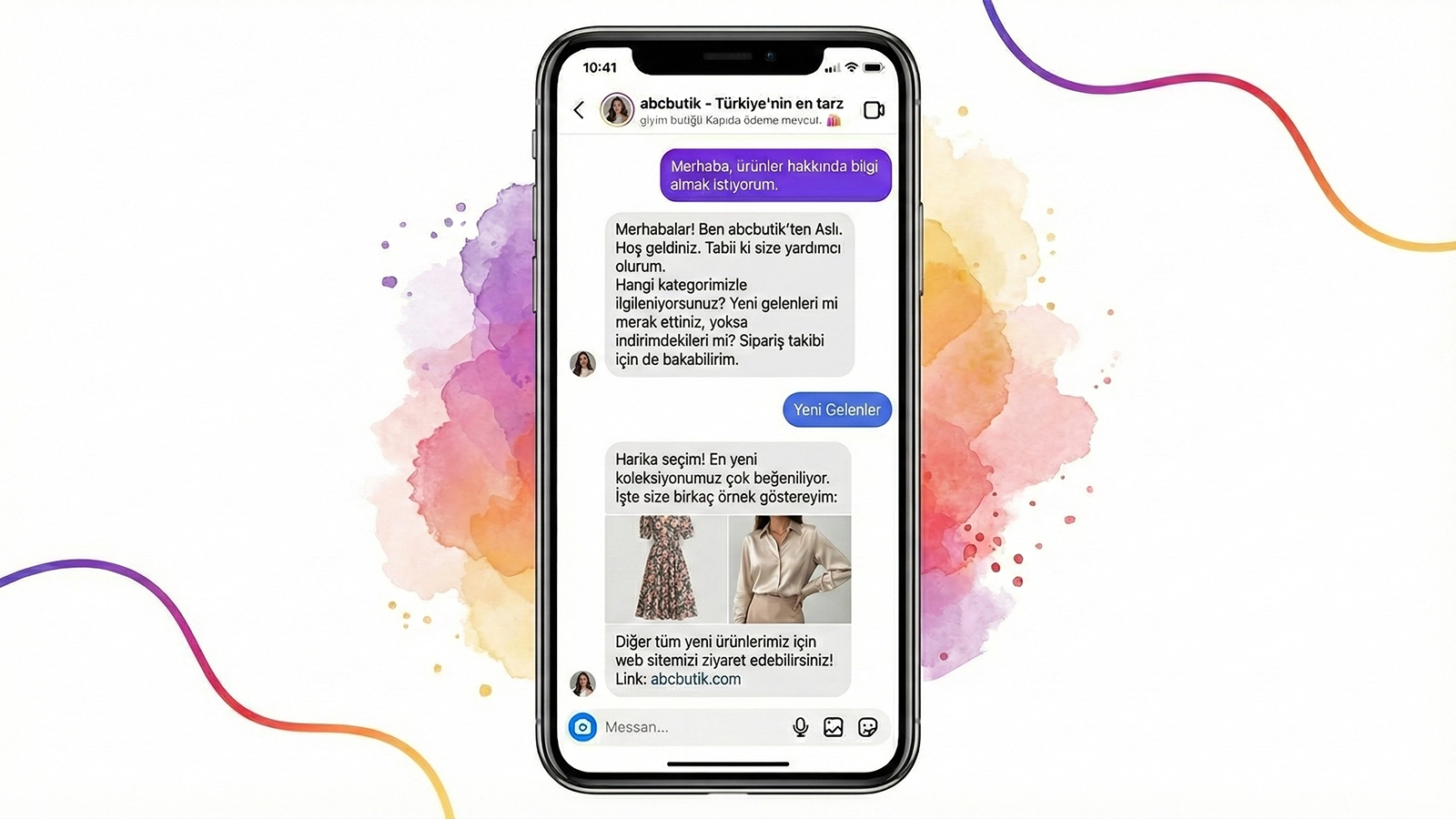
An Instagram chatbot replies to the customer instantly, asks the right questions to clarify their needs, guides them to the product, shares campaigns/coupons, automatically explains processes like shipping and returns, and connects to an agent when needed. The result: less message load + more orders.
What Does an Instagram Chatbot Do in E-Commerce?
On an e-commerce account, a chatbot mostly handles these tasks:
- Finds products and makes recommendations (by asking category/size/color/budget)
- Manages stock/size/color questions
- Provides shipping time and delivery information
- Clearly explains the return/exchange policy
- Guides "shipping tracking" after the order
- Shares campaign/discount codes
- Wins back abandoned carts (gentle reminder flows)
In short, it turns the DM from a "chat" into a sales process.
Why Does an Instagram Chatbot Feel Essential for E-Commerce?
1) The first 30 seconds are critical
On Instagram, the customer doesn't wait. They ask about a product, and if no reply comes, they move on to another page within 2 minutes. By replying instantly, a chatbot keeps you from missing the opportunity.
2) The same questions come over and over
Shipping, returns, size charts, measurements, payment… These get asked dozens of times every day. A chatbot explains them in a standard way; errors and confusion go down.
3) It turns DMs into leads
Some customers don't order right away. By collecting their name/phone, the product they're interested in, and their preferences, a chatbot lays the groundwork for repeat sales.
How to Set Up an Instagram Chatbot for E-Commerce (A Practical 6 Steps)
1) Simplify your DM menu
The menu that works best has 4–6 options:
-
- Recommend a product
-
- Shipping & delivery
-
- Returns & exchanges
-
- Campaigns
-
- Order status
-
- Live support
2) Build the "Recommend a product" flow around sales
Have the chatbot ask these 3 questions:
- "Which category?" (shoes / dress / accessory…)
- "Size/measurement?"
- "Color preference?"
Then: send product links/product names with "Here's exactly what you're looking for."
And always end with: "Did you add it to your cart — can I help?"
3) Clear up shipping in a single message
The clarity the customer expects:
- Dispatch time (e.g., 24 hours / 1–2 business days)
- Courier company
- Estimated delivery
- Free-shipping threshold (if any)
4) Write the return/exchange flow in reassuring language
When the return process is clear, sales go up. The chatbot should explain it under these headings:
- How many days for returns?
- Product conditions (tag attached, unused, etc.)
- How does the process start?
- How many days until the refund appears?
5) Make the campaign flow "coupon + redirect"
"Today's active campaigns" → "Coupon code: X" → "Want me to recommend a product that suits you?"
A campaign message alone isn't enough; it should take the customer back to the product.
6) Always include a handoff to live support
Customers may ask specific questions: "Does this fit small?", "I'm 1.70 m, which size?"
At the end, the chatbot should offer: "Connect to an agent."
Ready-to-Use Instagram Chatbot Scenarios for E-Commerce (Copy-Ready)
Scenario 1: Product Finder / Recommend a Product
- "Hi 👋 Let me help you quickly. What are you looking for?"
- Category selection
- Size/measurement
- Color
- Recommend product + link
- "Would you like help completing your order?"
Scenario 2: Stock / Size / Color
- "Send the product name or a screenshot and let's check stock and size availability."
- Suggest an alternative (if out of stock)
- "Would you like a similar product?"
Scenario 3: Shipping & Delivery
- "Our orders ship within X business days. Average delivery is Y days."
- "Type your city and I'll tell you the estimated delivery."
Scenario 4: Returns & Exchanges
- "Our return/exchange window is X days. Type your order number to start the process."
- "Connect to an agent"
Scenario 5: Campaign
- "Today only: coupon X. Which category interests you?"
- Link into the product-recommendation flow
How Does the Mettanex Instagram Chatbot Make a Difference in E-Commerce?
In e-commerce, the goal isn't to grow your DMs — it's to get orders from your DMs.
With the Mettanex Instagram Chatbot:
- Instant DM replies (the customer doesn't slip away)
- Product-recommendation flows (drive toward a sale)
- Shipping-returns automation (reduce the team's load)
- Handoff to live support (give the hard question to a human)
- Results-focused scenario logic (DM → add to cart → order)
If you like, we can first set up "Shipping + Returns + Campaigns" to reduce the load, then add the "Recommend a product" flow to grow the sales side.
Frequently Asked Questions
What does an Instagram chatbot do in e-commerce?
An Instagram chatbot replies to DMs instantly to recommend products, automatically explains shipping-delivery and return processes, collects customer information, and hands off to live support when needed.
Does an Instagram chatbot increase sales?
Yes. Thanks to fast replies, accurate guidance, and product-recommendation flows, requests coming from DMs can turn into orders more quickly.
Does an Instagram chatbot reduce shipping and return questions?
Yes. Because frequently asked questions like shipping time, delivery, and returns-exchanges are answered automatically, the DM load on the team goes down.
Can the customer connect to a live agent?
Yes. By offering a "Live support / Connect to an agent" option inside the chatbot, the conversation can be handed off to the team.
What are the best Instagram chatbot scenarios for e-commerce?
Product recommendations, stock/size/color queries, shipping-delivery information, return-exchange processes, campaign-coupon flows, and order-status routing are the most commonly used scenarios.